2 Oct 2023, 10:25 UTC684 views4 reactionsread 9 August 2026 Макбук не загружается, и невозможно зайти в режим восстановления
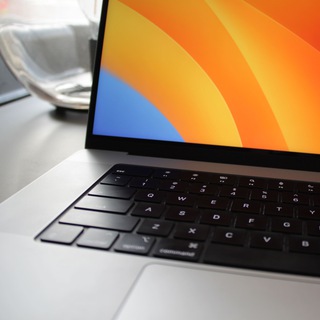
Недавно вышла macOS Ventura 13.6, и я не рекомендую обновляться до нее, если у вас прошка M1 или M2. Можно окирпичить свой макбук. С моим так и произошло. Тут я расскажу, как это вылечить. Потребуется второй мак с macOS не ниже версии 13.6 (т.е. версии macOS проблемного макбука).
Сначала попробуйте зайти в режим восстановления. Если получилось, то у…
👍4
23 Sept 2023, 10:40 UTC538 views2 reactionsread 9 August 2026 Проверка б/у макбука при покупке
- Внешний осмотр.
- Запомнить уровень заряда. Подключить зарядку.
- Модели 2013-2015: проверить антибликовое покрытие при отключенном экране.
- Проверка всех портов USB флешкой, SD картой.
- Включить Macs Fan Control: при нагрузке может быть 100 градусов, но после должно быстро возвращаться к 65-70.
- Geekbench 6, сравнить результаты с типичными. Для версии macOS старше Big Sur пот…
🔥2
22 Sept 2023, 10:24 UTC409 viewsread 9 August 2026 Режим энергосбережения в macOS
Для небольшого увеличения времени работы макбука от батареи можно включить Low Power Mode (Режим энергосбережения). Это можно сделать, кликнув на иконку заряда в строке меню и выбрав пункт меню Battery Settings (Настройки аккумулятора), или в настройках в пункте Battery (Аккумулятор).
В этом режиме некоторые приложения используют чуть меньше энергии, отключается часть фоновых процес…
21 Sept 2023, 10:39 UTC368 viewsread 9 August 2026 Копирование текста из фото в macOS
В macOS, начиная с Monterey, можно копировать текст прямо из фото и картинок в стандартных программах Safari, Preview, Фото. Просто подводите курсор к тексту на фото и выделяете как обычную строку. Дальше можно его скопировать, или, например, сделать глубокое нажатие, чтобы посмотреть перевод.
Для того, чтобы эта функциональность работала, должна быть включена настройка:
System…
20 Sept 2023, 10:27 UTC295 viewsread 9 August 2026 Горячие клавиши для изменения размеров окна в macOS
Есть три горячие клавиши, при зажатии которых изменение размеров окна курсором будет нестандартным:
Option – размеры окна будут изменяться симметрично с обоих сторон и/или сверху и снизу
Shift – пропорции окна будут сохраняться
Cmd – позволяет менять размеры неактивного окна в фоне, не делая его активным
#hotkey #macos #window
19 Sept 2023, 10:42 UTC313 viewsread 9 August 2026 Полный сброс macOS
В macOS Monterey появилась функция, давно существовавшая в айфоне – полный сброс контента и настроек. Очень удобно ее использовать при покупке или продаже б/у макбука. Она находится в настройках:
System Settings (Системные настройки)
→ General (Основные)
→ Transfer or Reset (Перенос или сброс)
→ кнопка Erase All Content and Settings (Стереть контент и настройки)
В macOS до Ventura …
18 Sept 2023, 10:45 UTC270 viewsread 9 August 2026 Превью и навигация по результатам поиска в Spotlight
Когда мы что-то ищем через Spotlight и получаем много результатов, по ним можно перемещаться с помощью стрелок вверх и вниз.
Чтобы открыть окно с превью результата, нажмите Пробел. Для закрытия превью – Esc. Но необязательно каждый раз его закрывать. Вы можете открыть превью одного ответа и дальше, нажимая ↑ и ↓, просмотреть превью всех результатов.
#spotlight
17 Sept 2023, 10:08 UTC265 views2 reactionsread 9 August 2026 Фоновый звук в macOS
Любите работать под звук дождя? Я да. Он расслабляет и способствует концентрации. В macOS есть набор фоновых звуков, которые помогут абстрагироваться от обстановки вокруг. Помимо дождя еще есть очень крутой звук Dark Noise – низкочастотный шум, похожий на звук мощной вытяжки. Он как будто переносит тебя в пустой офис – самое то для работы.
Включить эти звуки можно в настройках:
System Settin…
🔥2
16 Sept 2023, 10:22 UTC249 viewsread 9 August 2026 Вход в macOS по имени и паролю
Когда вы логинитесь в macOS, вам предлагают выбрать одного из заведенных пользователей, а затем ввести пароль. Это стандартное поведение. Однако в настройках можно выбрать чуть более безопасный метод входа – отобразятся два поля имя и пароль, и оба надо будет ввести.
System Settings (Системные настройки)
→ Lock Screen (Экран блокировки)
→ раздел When Switching User (При смен…
15 Sept 2023, 10:24 UTC212 viewsread 9 August 2026 Таймер в macOS
Apple добавили казалось бы такое стандартное приложение Clock (Часы) только в вентуре. Осталось только добавить калькулятор на айпаде 😀.
В часах есть вкладка Timer (Таймер). Там вы можете установить какое-то время для обратного отсчета. После запуска таймер будет отображаться в строке меню, даже если вы закроете часы, до тех пор, пока не дойдет до нуля или вы не нажмете Done (Готово). Удобная штука…
14 Sept 2023, 10:46 UTC192 viewsread 9 August 2026 Отмена и возврат изменений в macOS
Для отмены многих действий в macOS есть известное сочетание клавиш:
Cmd+Z
К примеру, вы написали фразу и потом поняли, что она не нужна. Или наоборот, удалили файл, а потом решили его вернуть.
Но бывают случаи, когда вы использовали эти горячие клавиши и поняли, что не надо было – написали фразу, удалили с использованием Cmd+Z. Как теперь вернуть ее обратно? Для этого есть специа…
13 Sept 2023, 10:07 UTC188 views2 reactionsread 9 August 2026 Полоса прокрутки в macOS
По умолчанию в некоторых приложениях в macOS полосы прокрутки отображаются только тогда, когда вы прокрутку используете. Лично мне такое поведение не нравится. Я люблю всегда быть в курсе, в какой части документа я нахожусь.
В настройках можно сделать так, чтобы они отображались всегда:
System Settings (Системные настройки)
→ Appearance (Оформление) или General (Основные) в macOS до …
👍2
Showing the 12 most recent of 20 posts we hold for @macos_vopros. View and reaction counts are the latest single reading for each post, not a live figure, and a recent post is still accumulating both. A view count marked ≈ was rounded by Telegram before we ever saw it — t.me prints views in full below 1,000 and to three significant figures above, so ≈1,200,000 means somewhere between 1,150,000 and 1,249,999. Unmarked counts are exact. Text is reproduced from the public post preview and truncated for length.